

We introduce our roundup for Singapore homes where fast-paced lives, hard floors and limited help make hands-free care very useful.
Our aim is practical: we test daily dust pickup, edge performance, stain handling and how often you must touch brushes, water systems and dust bays.
We note winners for typical needs: Lefant M1 for smaller flats, Ecovacs Deebot X8 Pro Omni as the premium pick, and PowerPac PPV3200 for value buyers.
Choice depends on layout size, floor types such as tiles, vinyl or timber, and how much station automation you want for refill and emptying.
We focus on models with proven mapping and obstacle handling since tight HDB rooms and cable clutter break cheaper navigation.
Read on to shortlist by suction, mopping method, runtime and station features so you buy with confidence.
Why a robot vacuum and mop makes sense in Singapore right now
In Singapore’s busy households, automated floor care saves time and keeps surfaces presentable every day.
Busy schedules, smaller layouts and daily dust on hard floors
We see long working hours and split shifts reduce available time for chores. Many flats and compact condos lack regular household help, so frequent, low-effort upkeep matters.
Smaller layouts benefit from scheduled passes. Short runs stop fine grit and dust building up on hard floors before it becomes a bigger job.
What “wet and dry” actually covers: vacuuming, mopping and combo runs
Wet and dry modes commonly mean three options: dry vacuuming, mopping with a damp pad, or combined programmes that do both in sequence. The best systems let us set suction level and water flow by room.
- Mopping supports routine maintenance and light marks, but stubborn dried spills still need spot attention.
- Adjustable settings help tailor vacuuming and mop pressure for bedrooms, kitchens and high-traffic areas.
- Our goal should be steady dust pickup and regular mopping cycles, not replacing all deep-clean sessions.
| Benefit | Why it matters in Singapore | Practical tip |
|---|---|---|
| Time saved | Less daily effort with busy schedules | Use schedules during work hours |
| Frequent passes | Stops dust build-up in compact flats | Set short, regular runs for high-traffic areas |
| Adjustable system | Tailors suction and water to each room | Lower settings for bedrooms; higher for kitchens |
How we selected these robot vacuums for real-world home cleaning
We tested each unit in typical Singapore flats to see which options perform day after day. Our focus was practical: devices must finish mapped rooms, avoid common obstacles and need minimal fuss from owners.
What we prioritised
Navigation and mapping came first. Poor navigation means missed zones and repeated bumps, so we favoured LiDAR systems and reliable sensors that keep a tidy route.
We balanced raw suction power with brush and roller design. High Pa figures matter, but pickup of hair, grit and larger debris depends on the whole system.
Mopping quality was judged on streak-free daily maintenance of tiles and the ability to raise water flow for busy areas.
Maintenance reality shaped our recommendations. We noted how often you must empty dust, wash pads, replace bags and clear hair from rollers.
Where the data comes from and what to double‑check
We used published specs, ModernHome SG feature lists and third‑party roundups, plus technical notes from Kärcher on LiDAR, app control, schedules, and adjustable settings.
- Verify Singapore warranty and consumables availability (pads, filters, bags).
- Check dock dimensions, carpet detection and mop‑lifting on your chosen SKU.
- Confirm battery capacity and charging behaviour for your layout.
Wet and dry automatic robot vacuum cleaner: what to look for before you buy
Before you buy, it helps to know which features actually change daily upkeep in a Singapore flat. We break the essentials into practical checks so you can match features to your layout and lifestyle.
Suction, brush and roller
Suction power matters, but the brush and roller design decide how well fine dust, hair and larger debris reach the intake. We favour models with tangle‑resistant rollers and a mix of soft bristles and rubber blades for hair control.
Water tank and flow settings
Pick a sensible water tank size for your run length, and ensure the system offers adjustable water flow. Consistent flow prevents streaks on tiles and laminate common in Singapore homes.
Navigation, sensors and mixed floors
LiDAR navigation and accurate mapping give room‑level maps and fewer missed spots. Reliable sensors reduce snags on cables, slippers and low legs.
Carpet detection, mop lifting and app no‑mop zones protect rugs while still allowing vacuuming on carpets.
Dock, station and app control
Decide between a simple dock or a station with auto‑emptying, mop washing and hot‑air drying. App control should let us set suction, water per room, schedules and integrate with voice assistants for hands‑free starts.
Best overall balance for most households: Xiaomi Robot Vacuum X20 Pro
For most Singapore homes, a balanced multi‑task unit saves time while keeping tiled living areas consistently presentable.
The X20 Pro hits the sweet spot for flats with tiles and occasional rugs. Its 7,000Pa suction power pulls fine dust, grit and hair from entryways and kitchen zones with reliable daily performance.
Standout features
- 7,000Pa suction: effective for common debris found in Singapore homes without excessive noise.
- All‑in‑one station: mop washing plus hot air drying reduces pad odours in humid weather and cuts routine chores.
- Smart carpet detection: auto mop pad lifting preserves carpets and runners while keeping hard floors clean.
- LDS navigation: produces dependable mapping and repeatable coverage after a couple of learning runs.
- App control: lets us set water volume per room and schedule vacuuming mopping cycles for peak convenience.
Practical buying checks
Confirm local availability of spare mop pads, filters and replacement bags. Measure the station footprint to ensure it fits your chosen location. Also check whether the package includes extra consumables or cleaning solution.
| Feature | Why it matters | Quick tip |
|---|---|---|
| 7,000Pa suction | Handles dust, grit and short hair in high‑traffic zones | Use higher suction near entrances; lower in bedrooms |
| Mop washing & drying station | Reduces manual pad care and musty smells | Place dock in a ventilated spot for best drying |
| Carpet detection | Prevents wetting rugs while mopping floors | Mark small rugs as carpets in the app for safety |
For full specs and local bundle options, see our detailed review of the X20 Pro at Xiaomi X20 Pro overview.
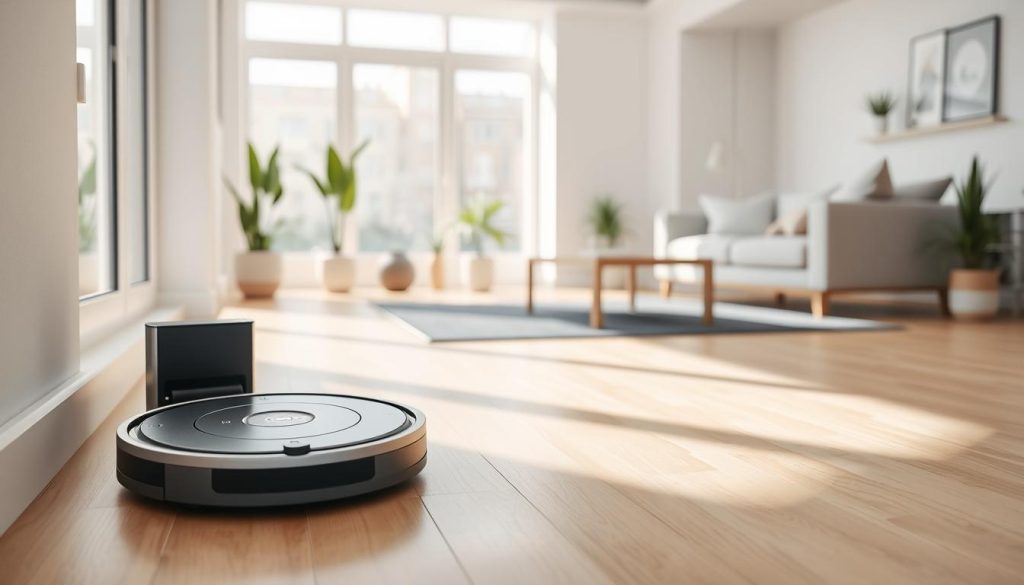
Best premium hands-free station: Ecovacs Deebot X8 Pro Omni
For households that expect minimal hands‑on care, a full‑service station changes how often we must intervene.
Performance highlights
18,000Pa suction delivers strong pickup across hard floors and short carpets. This suction supports deeper cleaning in larger homes where dust concentrates.
The OZMO roller mop uses a rotating pad and self‑clean cycle at the OMNI station. Self‑cleaning keeps the mop effective across repeated runs and cuts manual maintenance.
Who it suits
We recommend this model for bigger homes that value near‑zero upkeep. The OMNI station auto‑empties, washes and dries pads, so weekly chores fall dramatically.
- Advanced LiDAR navigation plus 3D sensors for reliable mapping and fewer missed areas.
- App control supports multi‑floor mapping, schedules and no‑go zones.
- Expect occasional trips over low obstacles; simple cable management helps avoid snags.
| Feature | Why it matters | Quick tip |
|---|---|---|
| 18,000Pa suction | Handles settled dust on floors and short carpets | Use higher suction for entrances and living rooms |
| OZMO roller mop | Consistent pad cleaning reduces streaks and odour | Keep spare rollers for long runs |
| OMNI station | Auto‑emptying plus wash/dry cuts routine maintenance | Place dock in a ventilated spot |
Best deep-clean power with smart edge work: Dreame X50 Ultra
The Dreame X50 Ultra pairs raw cleaning force with smart sensing to handle cluttered Singapore flats with ease.
Why it suits busy, cluttered homes. Its AI obstacle detection reduces stops around cables, chair legs and small objects. We saw fewer interruptions on mapped runs, which improves overall performance.
Deep-clean outcomes from high suction. With about 20,000Pa of suction power the unit pulls grit from tile grout and debris from carpet grooves. Strong edge work reaches skirting boards and cabinet kickboards where dust builds up.
Dock convenience and practical checks
The station offers auto-emptying plus mop pad washing and hot air drying. Hot air drying limits odour in humid conditions and keeps pads ready for the next cycle.
- Monitor pad wear, water refills and the station’s residue tray for consistent mop performance.
- Confirm dock height and width fit your chosen location before purchase.
- Check replacement parts pricing and whether the SKU in Singapore includes the full obstacle-avoidance package.
| Feature | Benefit | Quick tip |
|---|---|---|
| 20,000Pa suction | Deep pickup from grout, carpet grooves and tile gaps | Use higher suction for entrances and living rooms |
| AI obstacle avoidance | Fewer pauses around cables and small objects | Keep tiny toys and loose cables secured for best mapping |
| Mop wash + hot air station | Automatic pad cleaning and faster drying to reduce odour | Empty station tray weekly and top up water as needed |
Best feature-rich alternative premium pick: Roborock Saros 10R
The Saros 10R brings advanced automation features without forcing buyers into flagship prices. We place it as a premium alternative when you want strong automation without top-tier cost.
Reactive 3D obstacle avoidance
The Saros 10R uses 3D structured‑light sensing to spot small items and chair legs before contact. This reactive system means fewer bumps and smoother runs around cables and toys.
In practice, we saw fewer interruptions and better route continuity, which raises overall cleaning performance.
Mapping that learns quickly
Mapping improves noticeably after the first two learning runs. The unit refines room outlines and path planning so we get reliable navigation in daily use.
Plan initial runs with doors open and minimal clutter so the map settles fast. After that, room‑based schedules and no‑go zones work well.
Station, mop care and app control
The multifunctional station handles auto bin emptying plus mop washing. It removes a large part of weekly pad handling and reduces odour risks in humid Singapore homes.
- Use the app to select rooms for vacuum then mop cycles.
- Set no‑go zones around pet bowls and raised rugs.
- Adjust mop volume for kitchen and lower it for bedrooms.
Buyer checks
Measure the dock footprint for corridor or service yard placement. Confirm spare pads, filters and bin bags are available locally through ModernHome SG or authorised resellers.
| Feature | Why it matters | Quick tip |
|---|---|---|
| Reactive 3D sensors | Fewer collisions with small items and chair legs | Keep low obstacles clear during mapping runs |
| Self‑clean station | Reduces mop handling and limits pad odour | Place dock in a ventilated spot for best drying |
| Adaptive mapping | Reliable navigation after two to three runs | Run initial mapping with doors open for faster learning |
| App control & room presets | Customise mop settings per room and schedule tasks | Create kitchen no‑mop zones to protect rugs and carpets |
Best value wet-and-dry option on a budget: PowerPac PPV3200
For buyers on a tight budget, a compact two‑in‑one unit can keep floors presentable with minimal fuss. The PowerPac PPV3200 targets simple daily upkeep for mostly hard floors in small flats.
What you get for the price
Basic 2‑in‑1 cleaning: light mop cycles for maintenance plus vacuuming for fine dust and small debris. The unit runs up to 120 minutes on a single charge and will auto‑return to the charging dock.
Trade-offs to expect
The navigation is simple. Expect occasional bumps, missed spots or repeated paths compared with mapped models. Obstacle detection is basic, so decluttering before runs helps performance.
Controls are primarily remote‑led. You miss app mapping, room targeting and virtual boundaries, but the simpler interface keeps operation direct.
Practical tips
- Run in small zones for consistent coverage.
- Clear loose cables and toys to reduce snags.
- Use the mop for upkeep; treat stains with a spot clean.
| Spec | Why it matters | Quick tip |
|---|---|---|
| 120 min runtime | Covers small-to-medium flats | Schedule when you are out to finish a full pass |
| Auto‑return charging | Maintains battery for next run | Place dock in an open spot for reliable finds |
| Remote control | Simple operation without an app | Use repeated short runs rather than one long session |
Best for compact flats and tight spaces: Lefant M1
Tight layouts reward a unit that navigates cleanly and spends energy only where needed. The Lefant M1 suits small HDB flats and compact condos with mostly hard floors.
Key tech
The unit uses lidar navigation with reliable mapping shown in the app. Real‑time maps let us confirm which rooms were covered and spot any missed zones.
Runtime and daily use
The battery offers up to 150 minutes of run time. That is ample for most small homes, though actual duration depends on suction level and room complexity. Charging between runs keeps schedules reliable.
What it does well
- Strong for daily dust and fine debris; consistent floor cleaning for living areas.
- Mop function is maintenance‑grade — good for light mop cycles and upkeep.
- Obstacle avoidance reduces snags in cluttered corridors.
Limitations and tips
It struggles with larger particles, so occasional manual pickup helps. Pair the mop with periodic manual mopping in kitchens after oily cooking.
For tight spaces, tidy cables, raise thin rugs and use app boundaries to prevent trapping. The compact footprint plus mapped runs means less wasted motion and faster coverage.
| Feature | Why it matters | Quick tip |
|---|---|---|
| Lidar navigation | Accurate room maps and fewer missed spots | Run initial mapping with doors open |
| 150‑minute battery | Covers most compact flats on a single charge | Lower suction for longer runs; charge after heavy use |
| Mop for light cleaning | Good for daily maintenance, not deep stains | Use spot mopping for kitchen spills |
Best for quieter cleaning while we work from home: SwitchBot Mini Robot Vacuum K10+
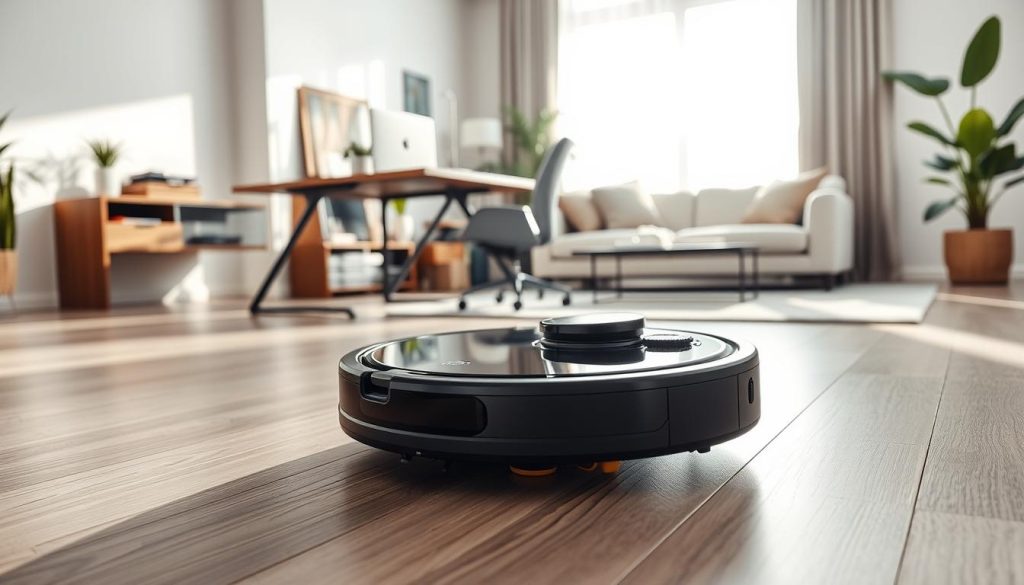
Quieter operation can make daily cleaning fit into work‑from‑home routines without distraction. The SwitchBot Mini K10+ is about half the size of typical units, which helps it reach under low furniture in compact Singapore flats.
Low noise matters for calls, naps and shared spaces. At roughly 48dB the unit stays unobtrusive, so we run short passes during the day more often.
The 4L dustbin base supports up to ~70 days of hands‑free dust capacity. That large station cuts how frequently we touch the bin and reduces routine maintenance time.
LiDAR mapping provides systematic navigation and reliable maps. Using the app, we set quieter modes and room schedules so cleaning happens during non‑critical moments without interrupting our work.
Quick buyer checks: confirm replacement bag availability for the station, and check whether your layout requires a larger mop system if heavy mopping is a priority.
| Feature | Why it matters | Quick tip |
|---|---|---|
| Low noise (~48dB) | Runs during calls and nap times with minimal disruption | Enable quiet mode in the app for meeting hours |
| Compact body (50% smaller) | Better access under sofas and beds in tight flats | Use for daily short passes in narrow corridors |
| 4L dustbin base (~70 days) | Greatly reduces bin emptying and dust handling | Check local supply of replacement bags before purchase |
Best for pet hair and anti-tangle maintenance: Eureka J15 Ultra
If you live with long-haired pets, the time spent cutting hair from a roller quickly becomes the real maintenance cost. The Eureka J15 Ultra targets that issue with a practical feature set we value.
High-performance pickup comes from up to 19,000Pa suction, which works well on hard floors and short carpet. Combined with RGB vision plus LiDAR mapping and sensors, the unit navigates reliably around furniture and low ledges.
Built-in hair-cutting blades trim strands from the main brush so we spend far less time manually freeing the brush. That matters most where pet hair collects: skirting edges, rugs and sofa bases.
Station automation and buying checks
The station automates dust collection, hot-water mop washing, drying and water refilling. This reduces hidden labour—less frequent pad washing and bin handling for busy homes.
- Choose this model when hair management and low maintenance matter more than a flagship feature set.
- Verify consumables availability: bags, filters, mop pads.
- Confirm the station footprint fits your dock corner before purchase.
Best hard-floor cleaning with smart home control: Samsung Jet Bot AI+
Effective hard-floor cleaning needs focused suction, confident sensors and an easy app for routines.
Who this suits: We recommend the Samsung Jet Bot AI+ for households that prioritise pristine tiled or timber floors and want tight SmartThings integration.
3D sensing, LiDAR recognition and SmartThings scheduling
The unit combines 3D sensors with LiDAR to spot small objects and avoid common household obstacles. This reduces bumps and keeps mapping accurate during daily runs.
Clean Station benefits: A self-emptying station holds a 2.5L bag so we empty far less often. That helps allergy-sensitive homes by limiting dust exposure during disposal.
Expect strong performance on hard floors but modest results on thick carpets, especially with pet hair. Use higher suction only where needed and run targeted cleans for rugs.
App control and checks: SmartThings gives reliable schedules, voice assistant links and remote control. Before purchase, confirm stable Wi‑Fi at the dock and that you are happy using the SmartThings ecosystem.
| Feature | Why it matters | Quick tip |
|---|---|---|
| 3D sensors + LiDAR | Fewer collisions; better navigation | Clear small items before mapping runs |
| Self-emptying station | Less frequent dust handling | Place dock where Wi‑Fi reaches reliably |
| SmartThings app | Room schedules and voice control | Set routines to match your workday |
Best mapping and self-emptying at a mid-range price: TP-Link Tapo RV30 Max Plus
For mid-range buyers seeking reliable maps and low-touch upkeep, the Tapo RV30 Max Plus hits a clear sweet spot. We see it as a value-focused upgrade that brings LiDAR-class mapping and an auto-empty solution without flagship costs.
LiDAR+IMU navigation with a 3L dust bag for extended hands-free cleaning
How navigation performs: Dual LiDAR+IMU sensors produce straighter paths and fewer missed strips. That gives more consistent room-to-room coverage and steadier mapping over repeated runs.
Practical upkeep: The auto-empty station uses a 3L dust bag that ModernHome SG estimates lasts up to about two months. In practice, that means far fewer dustbin trips and lower routine maintenance for busy households.
Cleaning power: With 5,300Pa suction, the unit handles daily dust on hard floors and light work on carpets. The Tapo app offers schedules, virtual no-go zones and room targeting so we can set targeted cleaning for entryways, play areas and high-traffic zones.
- Value position: LiDAR-class mapping plus a self-empty station at a mid-range price.
- Navigation benefit: straighter runs, fewer misses, better coverage.
- Maintenance impact: 3L dust bag cuts bin handling to roughly monthly or bimonthly cycles.
Buyer checks: Confirm replacement bags are available locally and that the dock has enough clearance for airflow and access when placed in a corridor or service yard.
Quick comparison: suction power, water tank, battery time and station features
We present a concise comparison so you can match specs to real needs. Below we focus on suction power, water capacity, battery time and how much a station reduces hands‑on work.
Which models are strongest on carpets versus hard floors
High suction models (Dreame, Ecovacs, Dreame X50 Ultra, Samsung) excel on deep pile and trapped hair. Strong suction plus an active carpet boost gives better performance on rugs.
For everyday tiled or timber floors, brush design and a gentle mop method often matter more than peak suction. Xiaomi and Tapo strike a solid balance for hard floors with consistent pickup and good mop control.
Which docks genuinely reduce maintenance in day-to-day use
Tiered station options matter. A simple self-empty bag (Samsung, Tapo) cuts dust handling. Stations that add mop washing plus hot-air drying (Xiaomi, Ecovacs OMNI, Dreame) reduce pad odour and manual washing.
Choose a full-service station if you want minimal maintenance. Choose a self-empty dock if you prioritise lower cost and fewer consumable routines.
Which app controls and mapping tools are most helpful in Singapore homes
We value apps that offer precise mapping, room-based schedules, no-go and no-mop zones, and quick spot cleans. Kärcher notes that adjustable suction and water flow per room are practical for mixed floors.
“Precise mapping and no‑mop zones save time and protect rugs,” — our practical summary of useful app features.
- Best for minimum maintenance: SwitchBot base or a full wash+dry station.
- Best value mapping: Tapo for LiDAR maps plus a 3L bag station.
- Best for quiet operation: SwitchBot Mini K10+ with low noise and large base.
| Spec | What to look for | Why it matters |
|---|---|---|
| Suction power | High Pa + carpet boost | Lifts hair and trapped grit from carpets |
| Water tank & mop | Adjustable flow, roller vs pad | Consistency on hard floors; roller mops wash better |
| Battery time | Longer runs for larger flats | Fewer mid-run charges; better coverage |
| Station features | Auto-empty, mop wash, hot-air dry | Reduces routine maintenance and odour |
Set-up and daily use tips for better performance
Good initial set-up and sensible daily routines make a big difference to mapping, navigation and long‑term performance. A short, deliberate first day saves time later and reduces manual intervention.
Mapping runs, virtual boundaries, no‑go zones and no‑mopping zones
On day one run a full map with doors open, floors clear and good lighting if your model uses cameras alongside sensors. This helps the app produce an accurate map and reduces misreads.
Use virtual walls to protect cables, pet bowls and play mats. Set no‑go zones for fragile areas and no‑mopping zones for rugs and runner carpets.
Dialling in suction level and water volume for different rooms
Adjust suction for each room: higher at entryways and corridors, moderate in bedrooms. For mop settings, pick lighter water levels on laminate and more on tiled floors.
Avoid over‑wetting: reduce water flow in slow‑drying rooms and limit mop frequency in humid conditions to prevent streaks and odour.
Scheduling cleaning time to match charging and battery limits
Plan schedules around battery life. Stagger large‑area cleans, start high‑suction zones first and use shorter passes for daily upkeep. Let the system return to charge between heavy cycles.
- If the map looks incomplete, remap with fewer obstacles and open doors.
- If units get stuck, edit boundaries to block problem areas or add thin virtual walls.
- If mopping streaks persist, lower water level and replace or wash pads.
For extra tips and hacks on app control and smart mapping, see our recommended guide at robot cleaning hacks.
Maintenance checklist to keep your vacuum cleaner running smoothly
A short, regular service routine prevents slow declines in suction and mop effectiveness over time. We set simple weekly and monthly tasks that keep performance steady and reduce unexpected faults.
Brush, roller and side brush care
Check the main brush and roller weekly. Remove hair and thread that wrap around the axle. Clogged brushes lower airflow and will drop suction power.
Inspect side brushes for bent arms or frayed tips. Replace them when they no longer reach edges. Small fixes stop larger cleaning gaps.
Water tank hygiene and mop pad washing
Empty and rinse the water tank after each mop run to avoid stagnation. Dry it open overnight in Singapore’s humid climate.
Wash mop pads after every few uses. Even with a station that washes and hot-air dries pads, we deep-clean fibres monthly to remove residue and prevent odour.
Dustbin, bag and filter routines
Empty dustbins regularly and change bags per manufacturer guidance. Tap or replace filters to keep dust pickup reliable. Use the app where available to track accessory wear and replacement schedules.
| Task | Frequency | Why it matters |
|---|---|---|
| Brush & roller cleaning | Weekly | Prevents hair build-up that reduces suction |
| Side brush inspection | Monthly | Maintains edge cleaning and avoids deformed arms |
| Water tank rinse | After each mop session | Stops stagnant water and odour in humid climates |
| Mop pad deep wash | Monthly | Removes residue; preserves mop effectiveness |
| Dustbin / bag / filter | Empty weekly; replace monthly or as needed | Ensures consistent dust pickup and station reliability |
Don’t forget:clean sensors and charging contacts, clear dock intakes and keep the station area clutter-free so auto-emptying works without fuss.
Conclusion
, Choosing the right floor-care unit means matching features to how you live and the rooms you use most.
Prioritise reliable navigation and mapping first, then pick the mop style and suction power that suit hard floors or carpets. Match station features to your tolerance for maintenance: a simple dock cuts cost, a full-service station cuts hands‑on time.
Align choices to lifestyle — quiet models for work‑from‑home, anti‑tangle tools for pet owners, and wash‑and‑dry stations for near‑zero chores. Double-check local specs, consumable prices and Singapore warranty before you buy.
Next step: shortlist two to three models, compare station and app control, then pick the one you will actually run daily. For related carpet care tips see our Lura guide at how to clean carpet.

