
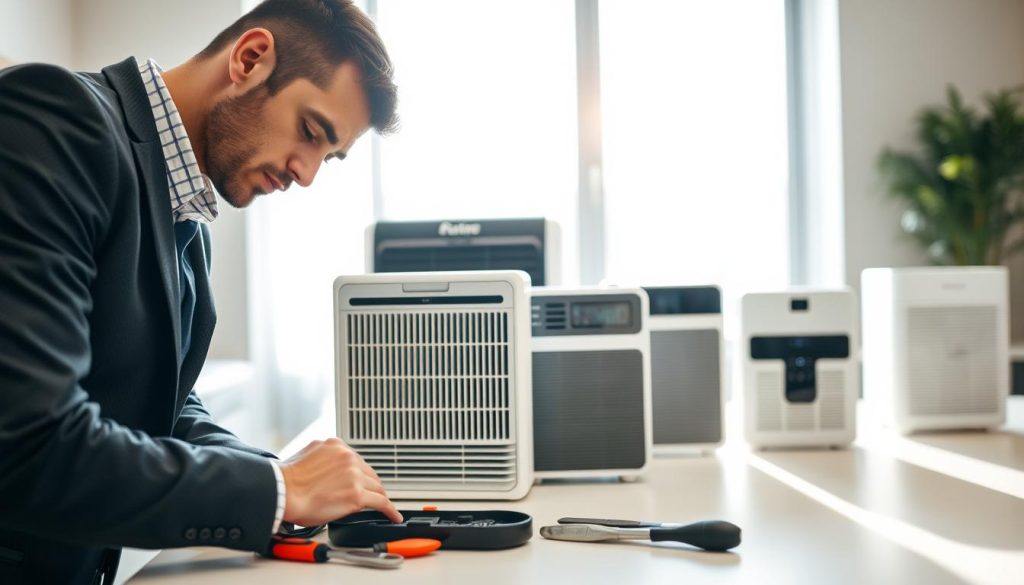
We begin with clear expectations. In Singapore homes, recognising what normal performance looks like helps us spot real faults fast. Our air purifier troubleshooting tips set out simple checks you can do in minutes.
We explain how long it takes to notice cleaner air and why timing varies. Pollutant type, usage patterns and open windows all change results.
Common problems we see include weak airflow, odours returning, unusual noise and power interruptions. We outline a step‑by‑step approach to each issue so you can avoid needless replacement.
Our aim is safer, more consistent clean air at home rather than chasing max fan speed. We keep the guide brand‑agnostic and remind readers that advanced systems may need specialist care after the manual checks.
How we diagnose air purifier problems fast in Singapore homes
We begin with a quick checklist to separate simple faults from those needing a technician. Our two‑minute triage confirms the power source is stable, the plug sits firmly, and the unit is not on a timer, child lock or ultra‑low mode that masks performance.
Confirm the basics
To make sure the device is actually moving air we use simple tests: a hand near the outlet, a tissue held at the grille, and a suction check at the intake. A running light alone does not prove effective airflow.
Spot the warning signs
Meaningful symptoms include weaker airflow, a louder fan than usual, musty or dusty smells returning, and inconsistent operation at different times of day. These point to a clogged filter or mechanical strain.
Check the environment
In Singapore, haze, heavy cooking, renovation dust and pets raise particle loads and shorten filter life. If conditions are “high load” we check filters and pre‑filters earlier than the calendar reminder.
- Isolate one variable at a time (change mode, move placement, close windows) to identify the source of the issue.
- When in doubt, follow our quick guide on indicator behaviour at why a blinking light may show a.
Air purifier troubleshooting tips for poor performance and weak airflow
Most cases of low airflow trace back to placement, loaded filters or settings—not the motor.
Dirty or clogged filters
Why it matters: As HEPA and carbon stages load with particles, resistance rises and airflow falls even when the fan still runs. We check the pre-filter first and replace saturated media if odours or diminished results persist.
Blocked vents and clearance
We make sure intake and outlet grills are free from curtains, furniture or dust on mesh screens. Even small obstructions can choke a unit.
Placement and room coverage
Keep the device at least about 2 feet from walls and corners so circulation is not starved. If a single unit serves a large room, it may never deliver expected clean air results.
Fan speed, modes and open windows
Increase fan during heavy cooking or haze; use night mode only in sealed rooms. Close windows when you want measurable improvement because continuous outdoor exchange can defeat the process.
“Make one change at a time so we can identify the single best solution.”
Fixing bad smells and stale air when your purifier is running
Persistent smells often mean the carbon stage is saturated or moisture has allowed bacteria to form. We begin by finding the source: cooking, pets, rubbish or damp fabrics. Only then do we test whether the filter has become an ongoing odour store.
Filters holding odours over time
Odour molecules can sit in carbon media and in trapped dust. Warm airflow may re-release smells. We clean reusable pre-filters and the unit’s exterior per the manual.
Replace carbon stages that smell foul. Washing carbon rarely restores adsorption, so replacement is the correct solution after saturation.
Moisture and bacteria risk
Moisture encourages bacteria and musty smells. We make sure the unit stays dry and avoid placing it near wet areas. Reduce room dampness and dry textiles quickly.
For prevention, manage upstream sources: keep bins clean, ventilate kitchens and pet areas, and use the unit to support a broader solution rather than mask problems. For step‑by‑step cleaning, see our cleaning guide.
“Fresh should mean neutral and clean, not perfumed.”
Reducing noise, rattles, and vibration without sacrificing clean air
A noisy unit can be a sign of small faults or simply a mismatch between speed and space. We start by listening to what the device actually does and where the sound comes from so we can act in the right way.
Identify the source
Steady fan noise at higher speeds is normal. New rattles, scraping or sudden vibration suggest loose parts, warped panels or trapped debris.
Stabilise the setup
Place the unit on a flat, firm surface and keep clearances around intakes and outlets. Remove objects from the top that can buzz or block flow.
Check the casing and feet for wear. If the unit touches a wall or furniture, slight movement can amplify sound through resonance.
Balance comfort and performance
We select the lowest fan speed that keeps indoor air feeling fresh in occupied rooms. Then we raise speed only for short periods during cooking, cleaning or haze.
Maintenance matters: a clogged filter makes the fan work harder and often increases noise. Regular care saves energy and extends performance.
“Fixing placement first usually gives the best reduction in noise with no compromise to cleaning.”
For household guidance on wider noise control and HVAC strategies, see our short guide on reducing system noise.
Power and safety issues we don’t ignore
When a device won’t start, our first steps look at the power route from plug to outlet. We test the wall socket with a known-working gadget, reseat the plug and avoid loose extension leads. This confirms the basic power source before deeper checks.
When it won’t turn on: outlet checks and inconsistent supply
Check the socket and any switches. If the unit powers but behaves oddly—intermittent shut‑offs or weak running—supply instability may be the root cause. Unstable voltage can harm internal electronics and shorten part life.
Electrical safety habits
We always turn the unit off before unplugging. This reduces surge risk and protects delicate controls. Never run a device on wet surfaces and avoid overloaded extension leads in a home setting.
When to stop running it and seek support
- Burning or unusual smells
- Smoke, sparking or persistent faults
- Unit fails to switch off correctly
In these cases we advise powering down and contacting the manufacturer or a qualified technician.
Servicing advanced systems and UV care
For systems with replaceable parts, follow the manual for filter reminders and part replacement. For UV‑equipped units, power down, unplug, allow cooling and avoid direct exposure. Old UV lamps may contain mercury; dispose of them per local regulations.
Conclusion
Our final check is simple: follow a clear sequence and you will solve most performance problems fast.
Confirm the basics, inspect filters, clear airflow paths, correct placement and match the unit to the room before you consider deeper faults or replacement.
Consistent maintenance protects long‑term performance in Singapore homes where dust and particles load filters quickly. Make sure the device is sized for the space and used with doors and windows managed to get measurable results.
Save this quick checklist: monthly checks, extra care on haze days, and the signals that mean filters need replacing. If you detect strange smells, noise or power faults, stop use and seek support.
Do this and you keep air quality higher at home with fewer issues and less guesswork.

